


WPI Group Product Lines
Intel - KVM Over IP

Remote Access with KVM Over IP
Leverage hardware-level remote keyboard, video, and mouse control (KVM) to support telecommunications and remote work locations.
KVM Over IP allows IT administrators to manage computers as if they were physically present. Intel® Core™ Ultra processors equipped with Intel vPro® Enterprise for Windows operating systems significantly reduce the need for Ethernet cables and remote KVM switches, eliminating the expensive hardware typically required for hardware-level KVM access. Intel vPro® Enterprise integrates KVM functionality directly into the computer, enabling support for telecommunications, online learning, temporary hospitals, and industrial environments in remote work locations.
Many businesses have realized the vision of remote work. Whether employees are working from home, providing telemedicine services from health centers, or managing shipments on the go, they need computers to operate smoothly anytime, anywhere.
However, when employees work in locations different from the IT service center, obtaining the necessary support to continue working becomes a significant challenge. Many IT administrators can no longer physically access devices to ensure proper configuration, protection, and operation. Troubleshooting issues remotely can be time-consuming and cumbersome, especially if the operating system (OS) is unresponsive or multiple computers are affected, compounding the problem. Sending computers to IT administrators or managed service providers (MSPs) and then back to employees wastes valuable time and reduces productivity.
What is KVM Over IP?
KVM Over IP, sometimes referred to as KVMoIP or IP KVM, is a critical remote management feature. It allows IT administrators to control a computer's keyboard, video, and mouse (KVM) remotely as if they were physically present. IT administrators can use their own computer monitors, keyboards, and mice to "view" individual computers and gain a "hands-on" user experience remotely.
Types of Remote Access: Hardware vs. Software
IT administrators can access computers remotely using software designed for remote management or through hardware-based technologies. Combining hardware and software often provides greater flexibility than using either alone.
Intel® Active Management Technology, a hardware-based remote access solution, is part of Intel vPro® Enterprise for Windows operating systems. It integrates KVM Over IP with out-of-band management capabilities. Out-of-band management means administrators can power on or reboot computers even if they are turned off or the OS is unresponsive. They can even use KVM Over IP to remotely install images and completely rebuild the OS, responding to user prompts during the process.
Software-based tools cannot provide access to the BIOS firmware, making it impossible to perform hardware initialization during the boot process.
Advantages of KVM Over IP
Using KVM Over IP for remote client management not only enhances overall support productivity but also reduces user downtime caused by computer issues. Compared to physically addressing individual computer problems, troubleshooting and resolving issues require fewer IT resources and less time. These features translate into several business benefits:
- Increased productivity. With remote access capabilities, IT staff no longer need to travel for computer updates and maintenance. This applies not only to endpoint computers for remote employees but also to unattended devices in remote locations, such as self-service kiosks, digital signage, or other IoT solutions.
KVM Over IP is particularly beneficial for MSPs managing technology infrastructure for clients. MSPs can manage nearly all computer tasks remotely without dispatching technicians, allowing a single administrator to oversee computers across a global enterprise. - Safer work environments. KVM Over IP enables IT administrators to access computers in locations that may pose health risks, such as hospitals with high pathogen exposure. Fewer people entering hospitals means cleaner environments and reduced disruptive non-medical activities. Other safety risks are also mitigated. Remote access eliminates the need to climb poles or ladders to reach smart signage or wind turbines.
- Faster response times. When employees encounter computer issues, KVM Over IP allows IT staff to resolve problems as if they were in the user's office. Point-of-sale (POS) systems can be fixed promptly, preventing long customer queues. Production lines can resume operations more quickly. For security threats, KVM Over IP enables IT administrators to respond swiftly, ensuring system security and uninterrupted workflows.
- Hardware security measures. Certain work environments, such as cleanrooms or laboratories, require high levels of physical security. Accessing these facilities may involve strict procedures, personal protective equipment, and careful movement. Reducing physical interactions minimizes the risk of disrupting sensitive environments and equipment.
- Lifecycle management. Organizations experience staff turnover, and KVM Over IP allows MSPs or internal IT administrators to reconfigure old computers for new employees remotely. This process can be as simple as setting up a new Windows profile or rebuilding the OS.
Organizations sometimes need proof that computers have been securely wiped after employees leave. KVM Over IP supports integration with third-party tools that perform secure wipes, removing any intellectual property or personal data from computers and providing certificates as proof of completion.
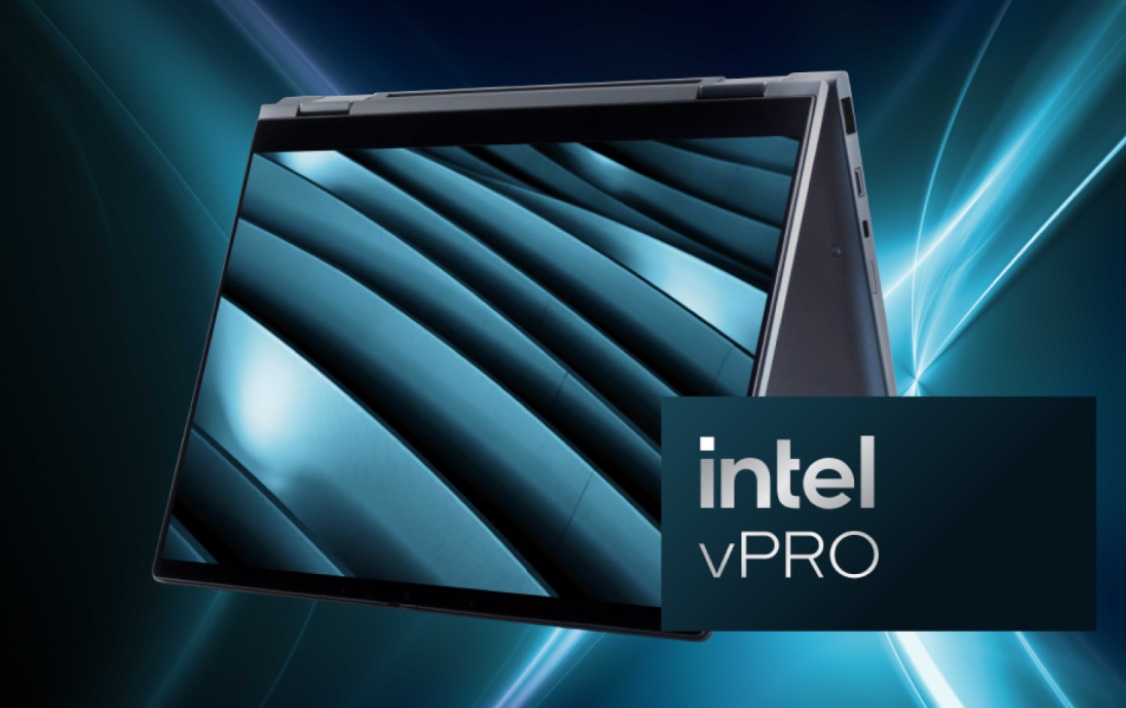
Intel vPro® Enterprise
In the past, hardware-based KVM Over IP was only available as part of complex data center environments. Setting it up required infrastructure worth thousands of dollars, including Ethernet cables, remote KVM switches, and other expensive hardware. Installing KVM switches in every employee's home office to support remote teams was impractical.
Intel vPro® Enterprise for Windows operating systems eliminates the cost of building extensive hardware infrastructure. This business-class computer platform integrates KVM Over IP functionality directly into the computer, offering the same capabilities as data center solutions.
What makes Intel vPro® Enterprise for Windows unique is its ability to provide KVM Over IP and out-of-band management through Intel® Active Management Technology (Intel® AMT). These hardware-based features operate independently of the OS, offering IT administrators a stable and secure way to access computers remotely.
Intel® Active Management Technology can be accessed through various interfaces and third-party tools, including:
- The lightweight Intel® Manageability Commander (Intel® MC) console.
- Intel® Endpoint Management Assistant (Intel® EMA) for cloud-based access.
- Microsoft Endpoint Configuration Manager (SCCM) plugins.
- MeshCommander and MeshCentral for peer-to-peer remote management.
This approach is more cost-effective and allows businesses of all sizes to enjoy the same remote management capabilities as enterprise-level organizations. To start using KVM Over IP, look for Windows laptops and desktops equipped with Intel vPro® Enterprise or consult your MSP for device options.
