As big data surrounds us, we often encounter information such as weather, stock prices, air quality, and more. These data are often paired with time, allowing experts to analyze and make predictions based on them.
Therefore, Time Series algorithms are specifically designed for this type of analysis.
NXP, following technological trends, has integrated the Time Series Studio tool into its existing eIQ Toolkit. Below is an introduction to this tool.
1. What is Time Series?
Time Series analysis is a method of analyzing datasets arranged in chronological order. By leveraging historical data, it helps understand data behavior and predict future trends or changes, making it useful for solving time-related data problems.
There are many applications in our daily lives, spanning various fields, such as:
- Stock Market Analysis: Analyzing or predicting stock price trends, fluctuations, and trading volumes using historical stock prices.
- Heart Rate Monitoring: Tracking users' heart rate changes to detect fatigue or psychological stress.
- Energy Management: Analyzing household electricity usage to optimize power consumption.
- Equipment Health Management: Monitoring equipment operation to detect anomalies and reduce unexpected downtime.
2. NXP Time Series Studio
To advance artificial intelligence (AI) on edge devices, NXP has introduced the eIQ Time Series Studio (TSS), the latest tool in the eIQ AI toolkit series.
TSS is a tool that integrates time series functionalities and allows the generated models to be deployed in projects using NXP SoC products.
It provides a user-friendly GUI interface, enabling even beginners without machine learning knowledge to create their own AI models.
3. TSS Workflow
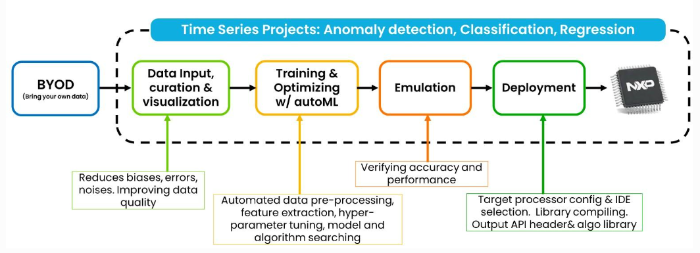
TSS offers numerous features, including time series data recording, data visualization, data analysis, automated machine learning optimization, model simulation, and generating libraries required for deployment.
The TSS workflow involves users importing their own time series datasets or using sample datasets for training.
After training the dataset, the IDE lists the best model options for users to select the most suitable one.
Users can then generate the corresponding API headers and libraries required for execution based on the target device using TSS.
The diagram below illustrates the complete workflow:
(Image Source: NXP)
4. TSS System Architecture
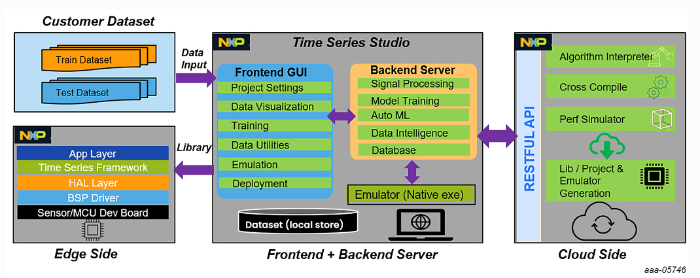
TSS primarily consists of a front-end GUI, back-end shell commands, and a cloud server capable of generating source code.
It supports multiple IDE compilers, enabling users to quickly develop the required functionalities. The diagram below shows the system architecture:
(Image Source: NXP)
4.1. Customer Dataset
Users can adjust their datasets based on training and testing needs.
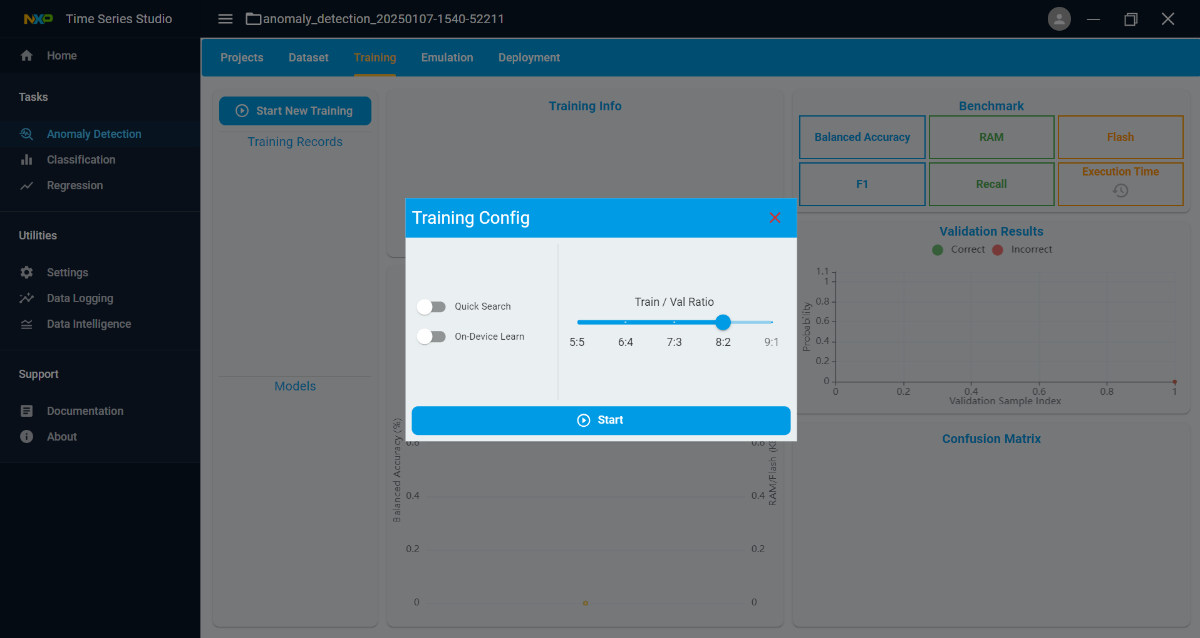
The dataset is divided into two parts: Training Dataset and Testing Dataset. Before starting training, users can specify the data allocation ratio through the IDE, with the default being 8:2.

(Image Source: NXP)
Training Dataset: Used for model training. An appropriate dataset size and Training/Validation ratio can improve accuracy and simulation results.
Testing Dataset: Used to test unseen data during training under simulated conditions. It helps detect overfitting and assess the model's generalization ability.
The diagram below shows the dataset splitting method:
4.2. GUI Interface
The user-friendly front-end GUI supports both Windows and Linux systems and connects with the back-end server.
The front-end GUI includes the following features:
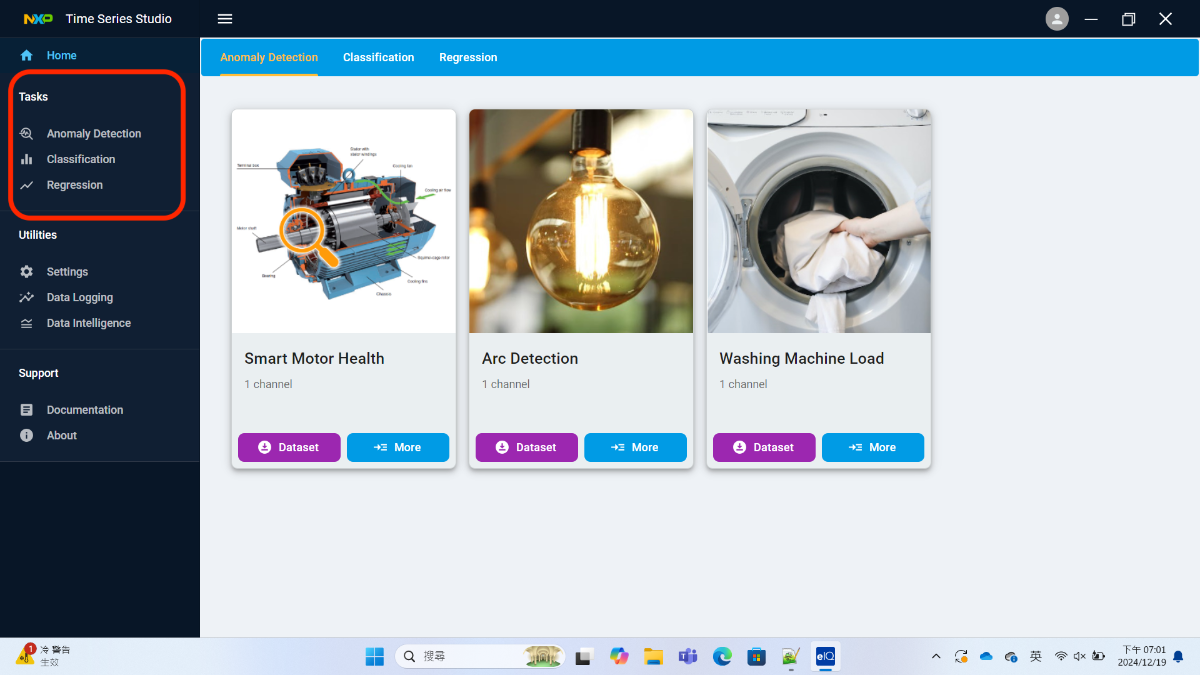
Task Selection
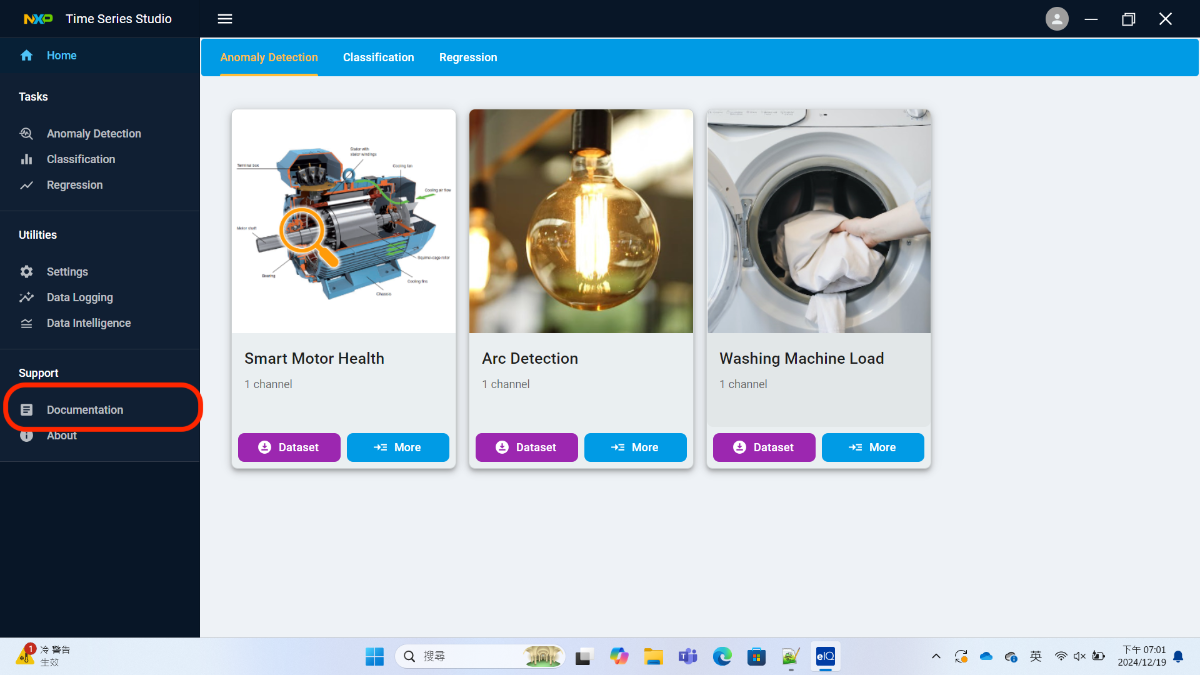
Tasks are categorized into three types: anomaly detection, classification, and regression. Users can select tasks based on their needs, as shown in the red box below:
Project Settings
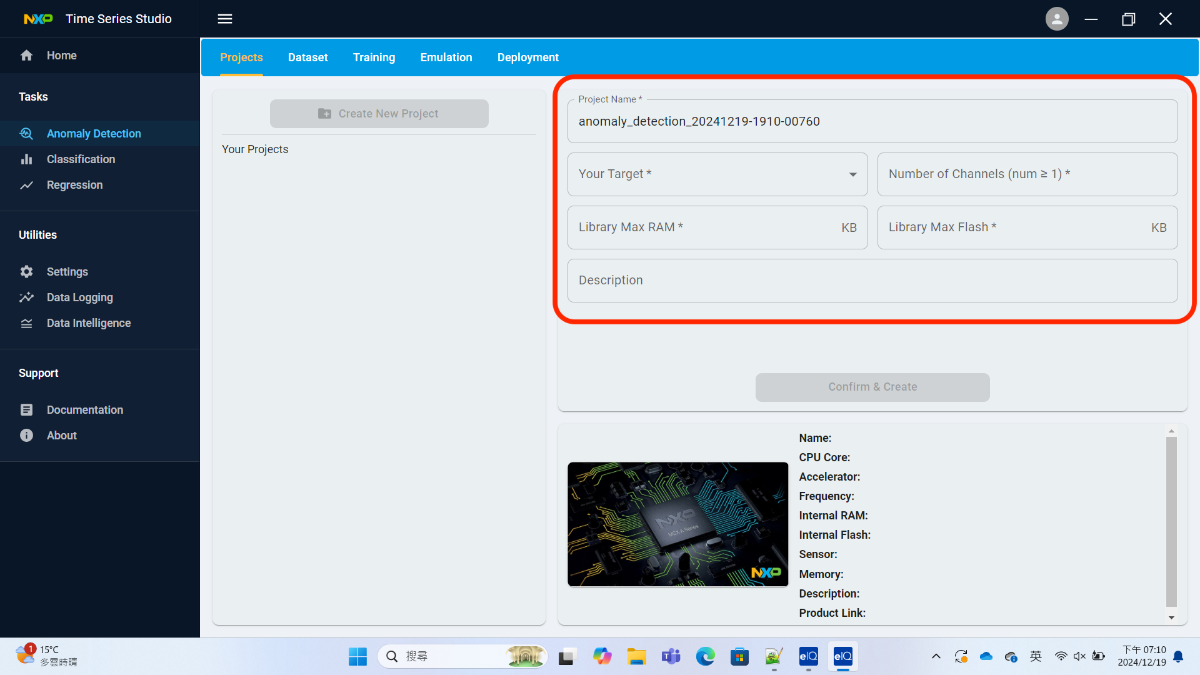
Configure settings based on the user's hardware resources, such as CPU type, Flash, and RAM size limitations.
Dataset Input
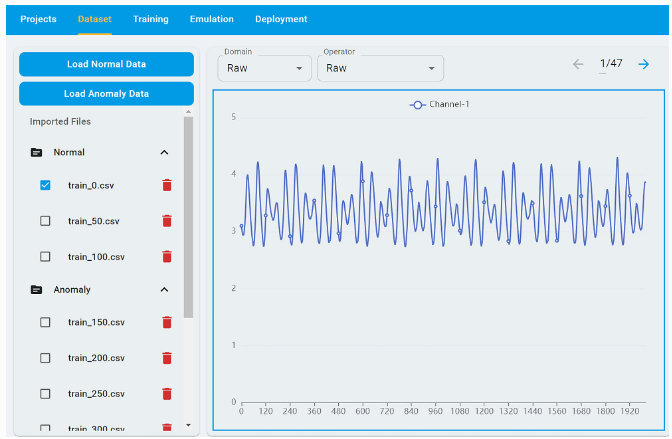
Supports importing data and visualizing it for review.
Model Training
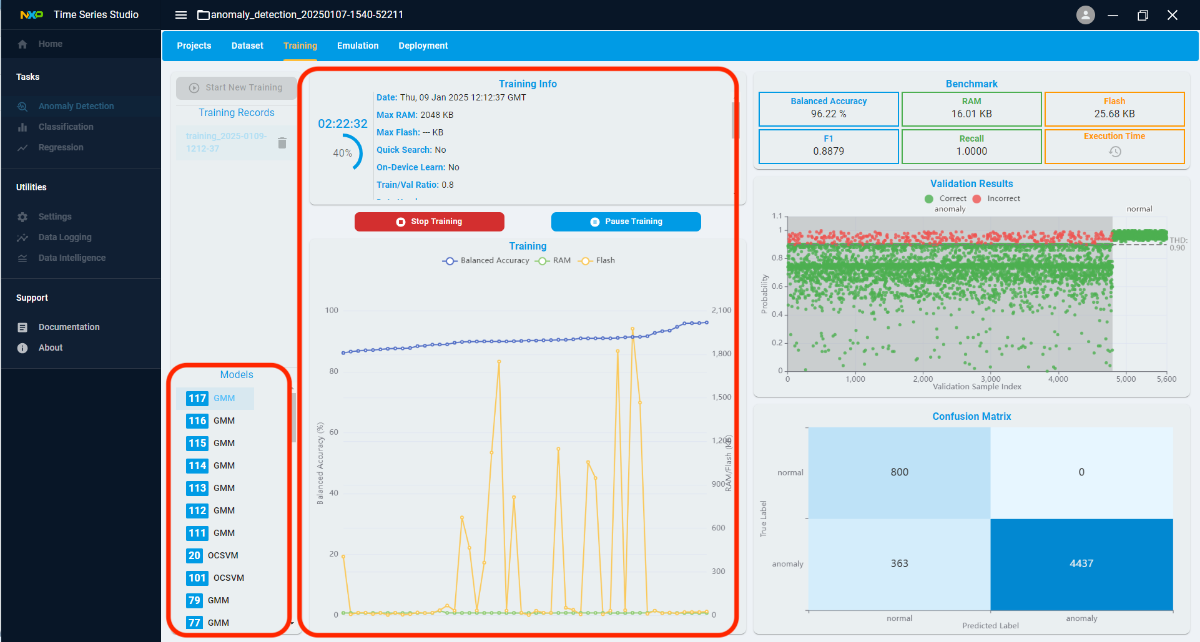
Automates machine learning based on configured settings. Users can monitor the training process and view the list of trained models in the bottom-left corner.
Model Benchmarking
Displays detailed testing information, including accuracy, Flash and RAM size, confusion matrix, and other key metrics.

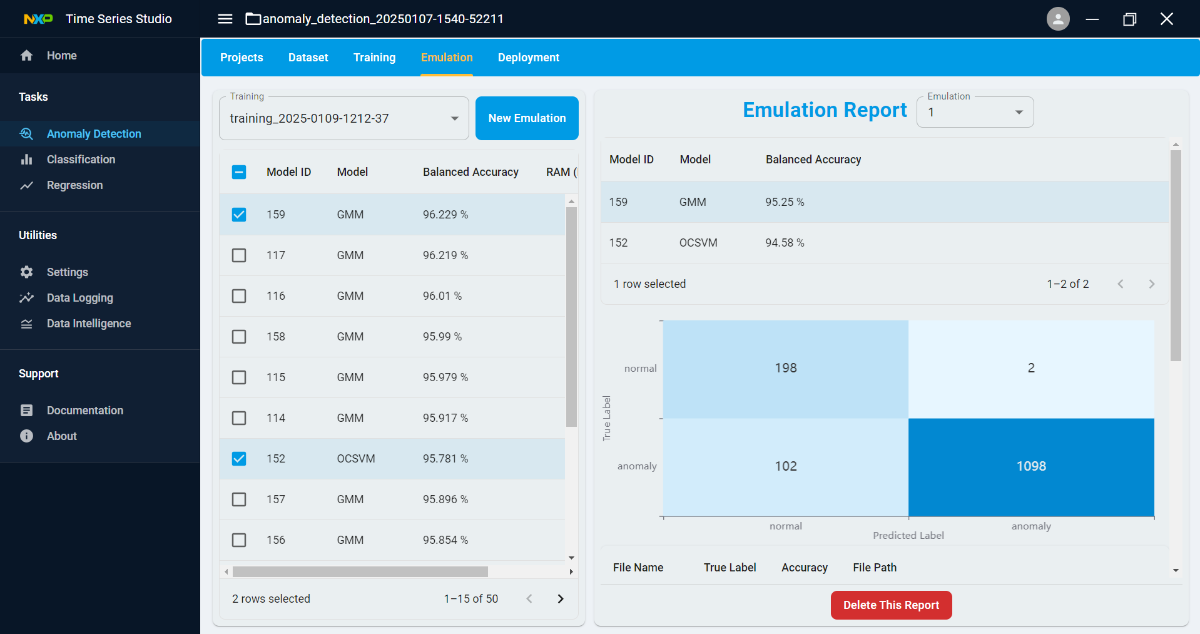
Model Emulation
Simulates and generates the required libraries, which can be run on a computer.
Model Deployment
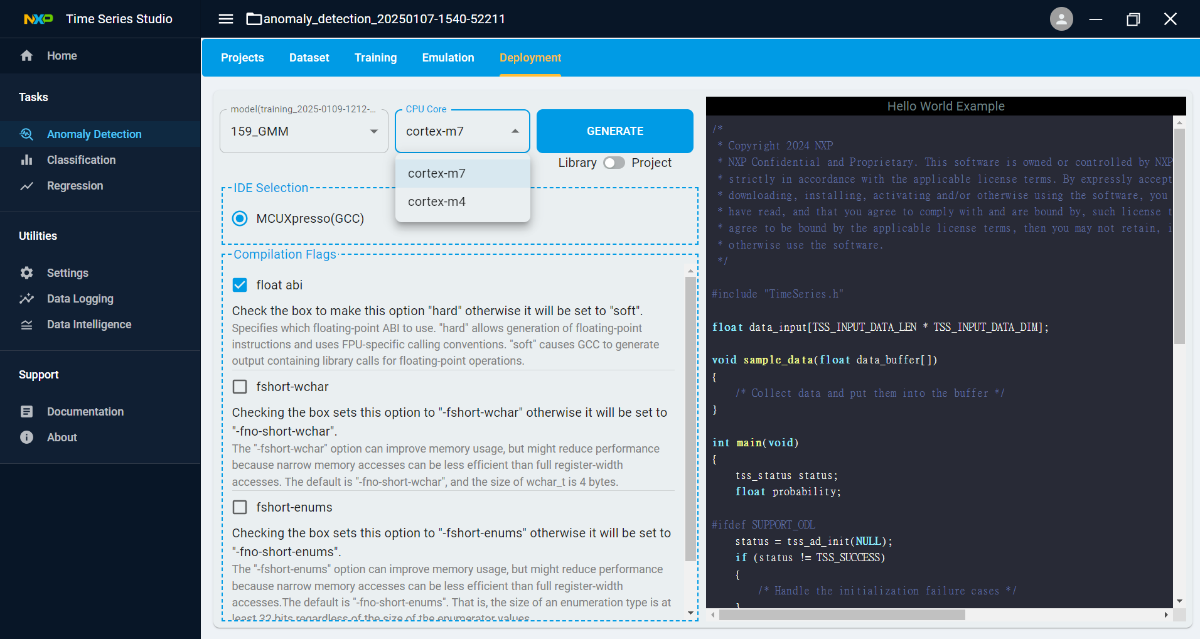
The final generated library supports various compilers, such as MCUXpresso, Keil, or IAR. It can also produce MCUXpresso projects for easier development.
5. References
For more information on TSS operations, you can download the eIQ Tool from NXP.
Official website link: Link
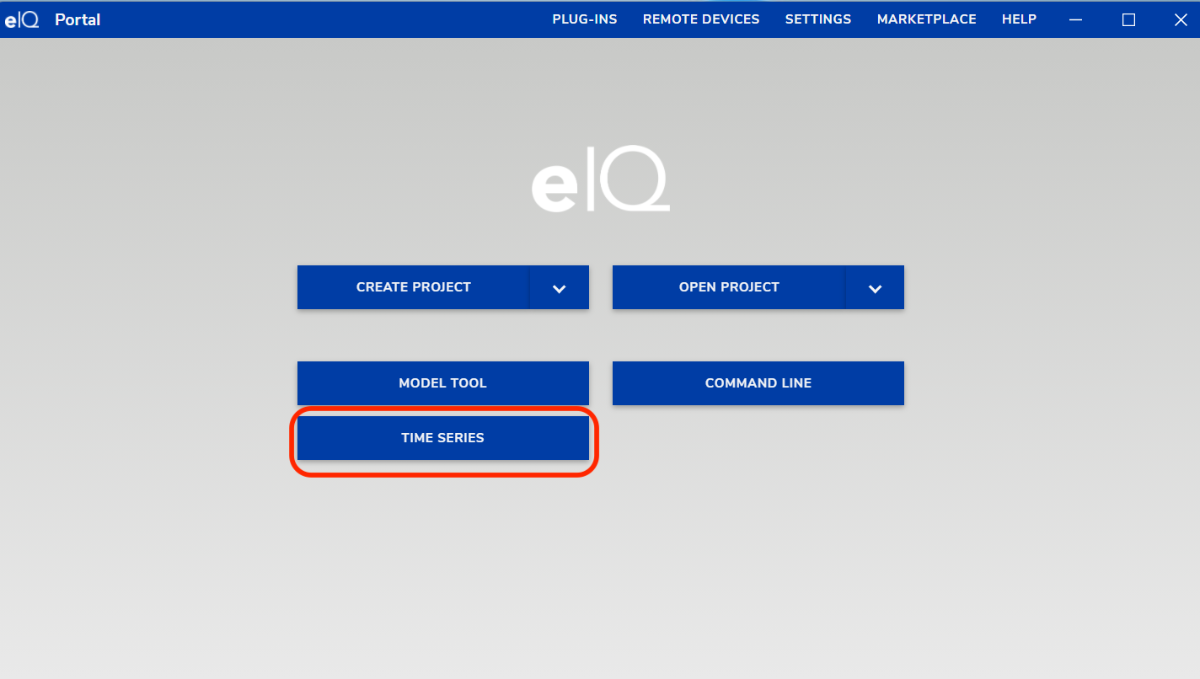
After installation, open eIQ and select Time Series.
For more detailed documentation, click on Documentation!